
WinMix: Raw Material Selection — Updated Search
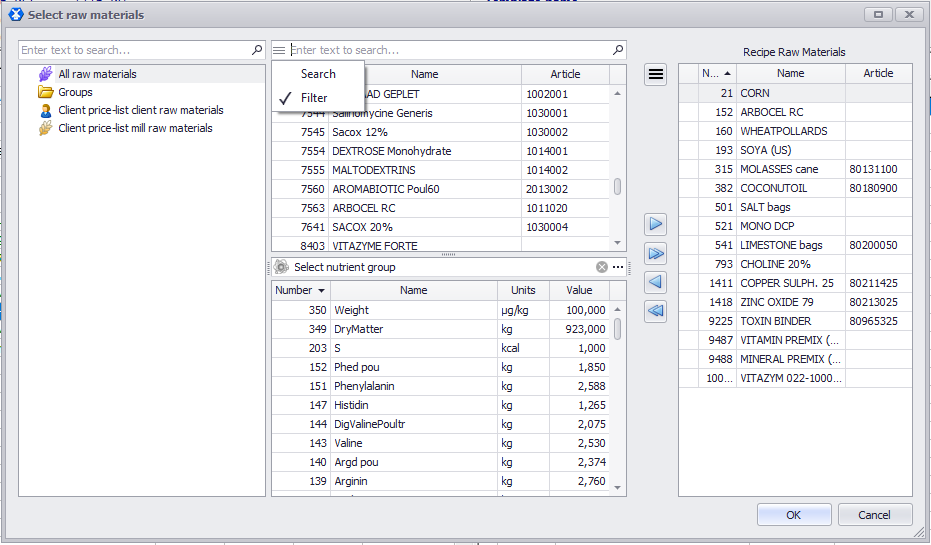
In the Raw Material Selection dialog, search now works in filter mode. The text you enter is searched simultaneously across the name, number, and article columns.
How it works:
- Open the Raw Material Selection dialog.
- At the top of the window, enter any text into the search field.
- If you enter a sequence present in the name, you’ll get a list of all raw materials containing that text in their name.
- If you enter a sequence from the number or article, results will be filtered by those fields accordingly.
- The search works across all columns at once — the entered sequence can be found in the name of one row and in the article of another.
- To switch back to search without filtering, click the burger button (☰) and select Search. In this mode, all elements are shown — both matching and non-matching.
📹 Video tutorial: