Recipe Search — Updated Search
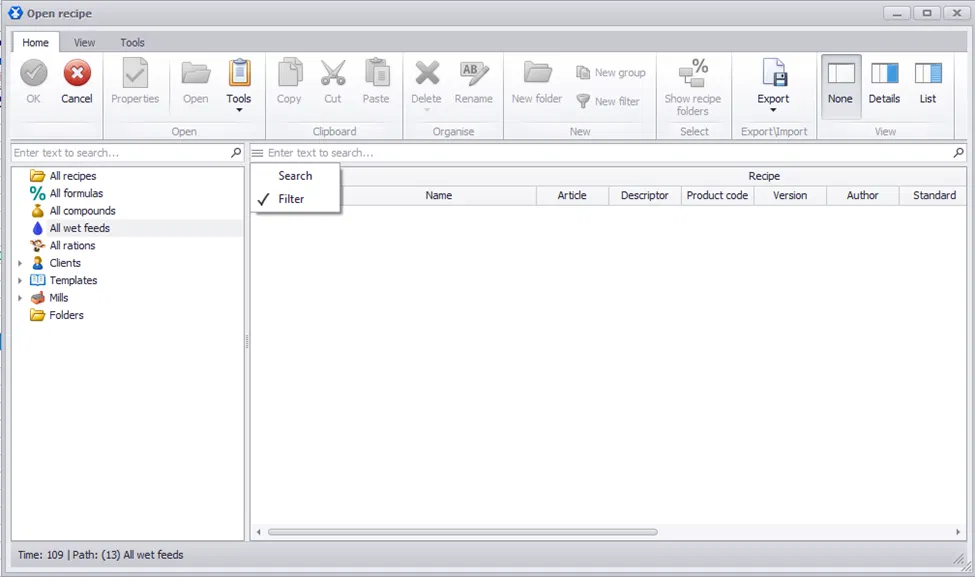
Searching for a recipe just got faster and smarter. In the Open Recipe dialog, search now works in filter mode across all visible columns — recipe name, price, client, and number.
How it works:
- Open the Open Recipe dialog.
- At the top of the window, enter any sequence into the search field.
- If you enter part of a recipe name, you’ll see all recipes containing that sequence in their name.
- If you enter a client name, you’ll see only the recipes belonging to that client.
- Search works the same way for price and recipe number.
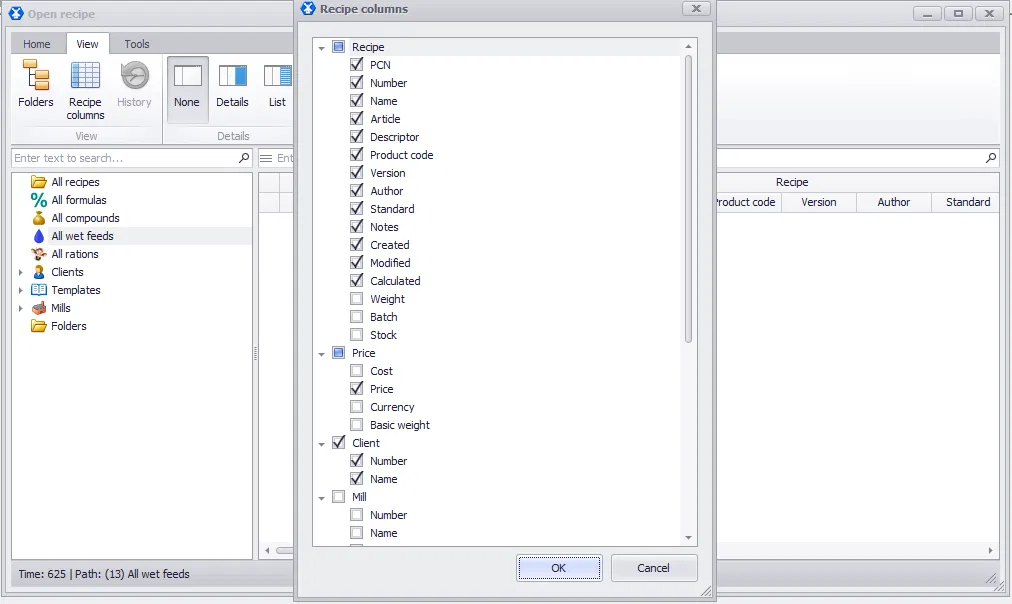
- You can choose which columns are visible in the dialog — search will then work only across those visible columns. For example, if you hide the price column, the entered sequence will no longer be searched in price.
- To switch back to search without filtering, click the burger button (☰) and select Search. This mode includes additional options to adjust search behavior.
Tip: Since filter mode searches across all visible columns, narrowing the number of visible columns speeds up your search. Go to the View tab → Recipe columns, and uncheck the columns you don’t need to search by right now.